A smartphone can be useful for studying, working and staying connected, but it can also make it difficult to avoid unwanted content. A quick search can lead to distracting websites, inappropriate material or hours of scrolling through social media. For people who want more control over their digital habits, a dedicated content blocker can make a difference.
Blocker Hero Mod APK is an Android application developed by Techsolvexx that focuses on restricting adult content, blocking distracting apps and websites and encouraging healthier smartphone habits. It also includes accountability features designed to make it harder to disable restrictions during moments of temptation. Rather than functioning as a simple website filter, the app combines content protection with productivity tools and customizable blocking options.
A More Controlled Approach to Everyday Smartphone Use
Not everyone needs the same type of internet protection. Parents may want to reduce their children’s exposure to inappropriate websites, while adults may want to avoid specific online habits or improve their concentration. BlockerHero addresses these different needs through several filtering and restriction options.
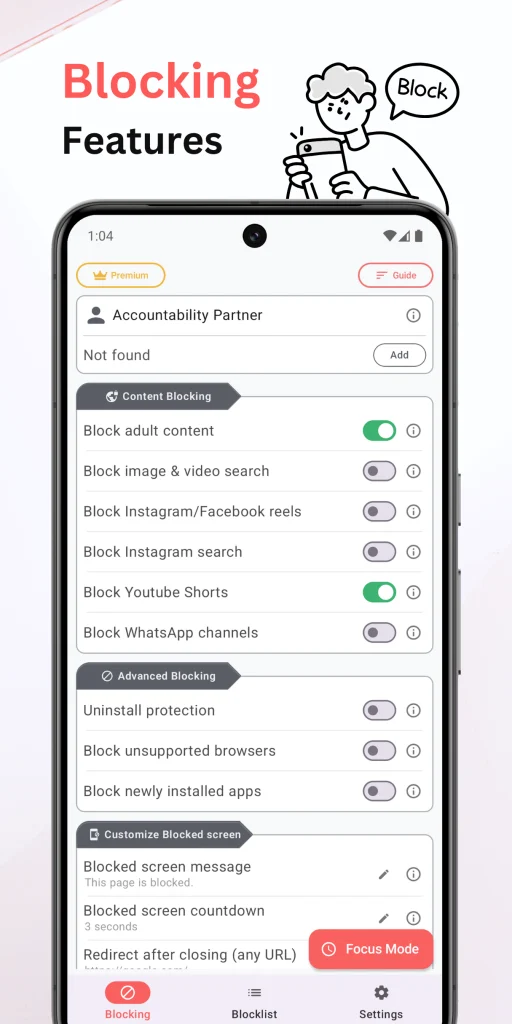
Its adult content blocking feature is designed to prevent access to inappropriate websites through supported browsers. The app also aims to detect inappropriate words and content in supported social media environments. This can provide an additional layer of protection for people who want fewer opportunities to encounter explicit material while using their phones.
However, content filtering should not be treated as a complete replacement for parental supervision or responsible internet use. Filtering capabilities can vary depending on the browser, application and Android device configuration.
Features That Make Blocker Hero Mod APK More Than a Website Filter
The application offers several tools that work together to help users manage their digital environment.
Adult Website and Content Blocking
The main purpose of BlockerHero is to restrict access to adult websites and inappropriate online material. Once the relevant protection settings are enabled, the application attempts to prevent users from opening restricted content through supported browsing environments.
This feature may be useful for someone who wants to avoid explicit websites or establish stronger online boundaries. It can also help parents introduce additional restrictions on a family device.
Custom App and Website Restrictions
Not every distraction involves adult content. Social media platforms, entertainment applications and frequently visited websites can interrupt work or study sessions.
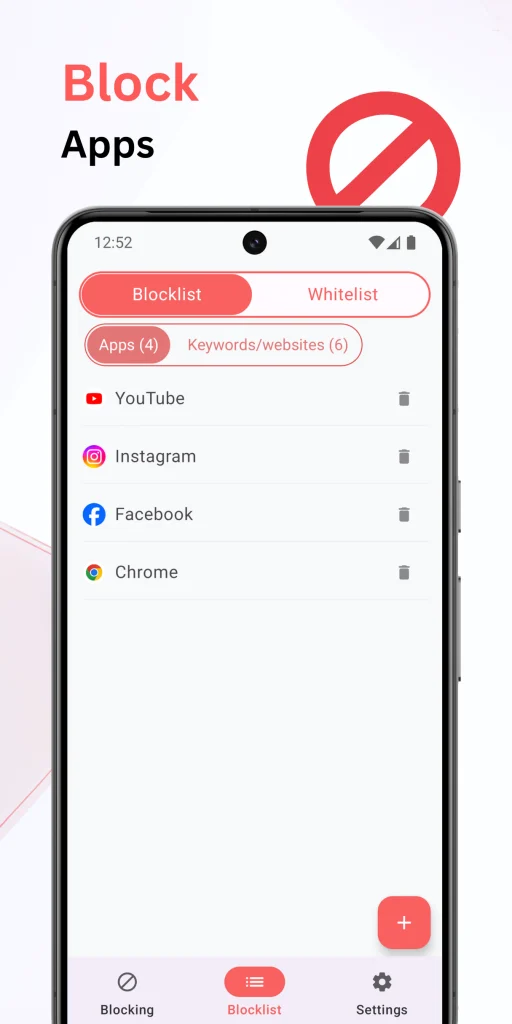
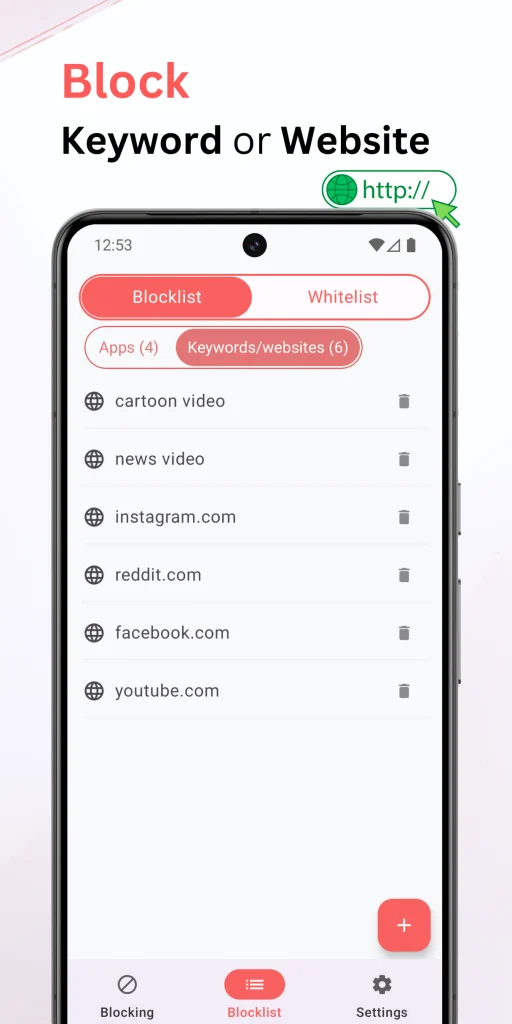
BlockerHero allows users to create customized blocklists containing selected apps, websites and keywords. For instance, someone preparing for an examination could restrict entertainment apps during study hours while keeping essential communication tools available.
Keyword blocking provides another level of customization. Instead of restricting an entire platform, users can target specific terms or content categories where supported.
Accountability Partner Protection
One feature that distinguishes the application from basic content filters is its accountability partner system.
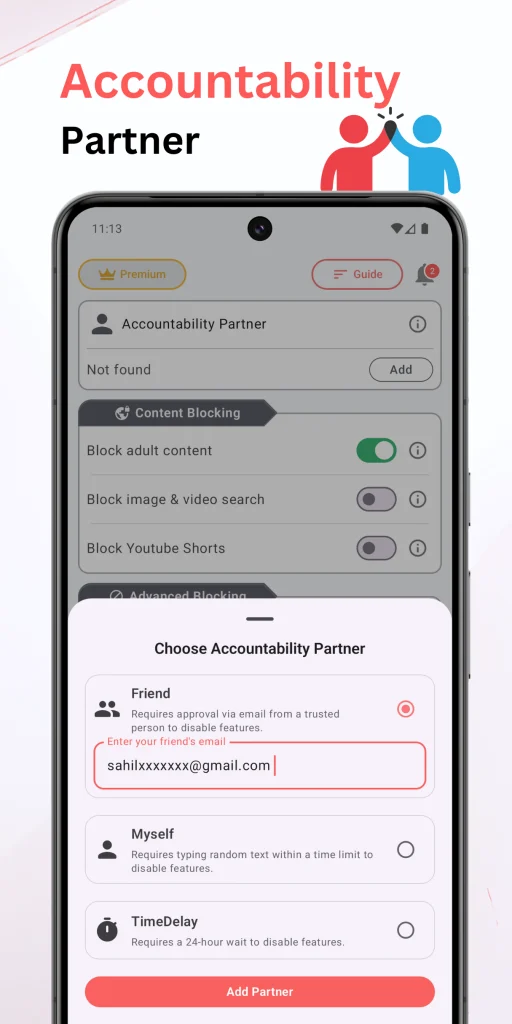
Users can select an accountability option such as themselves, a friend or parent or the TimeDelay feature. Depending on the selected arrangement, changing certain blocking settings may require additional approval or involve a notification to the accountability partner.
This approach can be helpful for people who frequently disable restrictions when they feel distracted. It introduces an extra step between wanting to access restricted content and actually changing the settings.
However, users should understand the approval process before activating strict restrictions, particularly when they may need to make urgent changes.
Uninstall Protection
Some people install blocking applications but remove them when restrictions become inconvenient. BlockerHero addresses this problem with an uninstall protection feature.
The application uses Android device administrator functionality to help prevent unauthorized removal. Depending on the configuration, an accountability partner may need to approve changes before the protection can be disabled.
This is particularly relevant for users who want long-term restrictions rather than temporary reminders. However, device administrator permissions are powerful, so users should understand how to deactivate them and regain control of their device before enabling this feature.
YouTube Safe Search
YouTube contains educational videos, entertainment and material that may not be suitable for every viewer. BlockerHero includes a YouTube protection feature designed to restrict explicit searches and inappropriate content.
This can be useful for parents who want additional safeguards or individuals who prefer a more controlled video browsing experience. Its effectiveness may depend on the YouTube version, device settings and supported content detection methods.
Focus Mode for Better Productivity
Notifications and entertainment apps can easily interrupt important tasks. Focus Mode helps users establish periods when selected applications remain accessible while other distracting apps are restricted.
For instance, a student could schedule a nighttime focus period and allow calls, SMS and essential applications while blocking entertainment platforms. Similarly, someone working from home could create a dedicated period for completing important tasks.
The ability to customize allowed applications makes this feature more practical than simply switching off the entire smartphone.
Understanding the Permissions Before Installation
Content blocking applications often need deeper Android access than ordinary productivity tools. BlockerHero requests several permissions to perform its advertised functions.
- Accessibility Service: Helps the application monitor supported app activity and enforce content restrictions.
- Display Over Other Apps: Allows blocking screens or warning overlays to appear over restricted content.
- Device Administrator: Supports uninstall protection and prevents unauthorized changes to certain restrictions.
These permissions are important because they determine how the application interacts with other software on the phone. Before granting access, review the permission explanations and consider whether each feature is necessary for your requirements.
The Google Play listing also indicates that the developer declares certain data collection practices. Its data safety information should be reviewed alongside the application’s privacy policy before installation. Remember that developer-provided privacy disclosures are not an independent security audit.
Is BlockerHero Free to Download?
BlockerHero is listed on Google Play as a free-to-download application with advertisements and in-app purchases. However, downloading the app does not necessarily mean every feature is available without payment.
Pricing and subscription options can change depending on the region and current offer. Therefore, check the Google Play purchase screen for the latest costs, billing periods and available plans before subscribing.
The app is listed for Android. Users with iPhones should not assume that the same application or feature set is available through the Apple App Store.
Who Can Benefit From Using BlockerHero?
The application may suit several types of users:
- Students: People who want to restrict distracting websites and applications during study sessions.
- Parents: Families looking for additional controls to reduce exposure to inappropriate online material.
- Professionals: Individuals who need scheduled restrictions to maintain concentration during working hours.
- Digital wellness users: Adults who want stronger boundaries around particular online habits.
- Accountability-focused users: People who prefer having an additional approval step before changing their restrictions.
However, someone looking only for a lightweight ad blocker or a basic browser extension may find this application more restrictive than necessary. Its primary focus is adult content protection, app restrictions and personal accountability rather than removing advertisements from every website.
Things to Consider Before Relying on It
No content blocker can guarantee that every inappropriate website or application will be restricted. New websites appear regularly, supported app behavior can change and certain device configurations may affect blocking performance.
Users should also check whether important services, such as banking applications, messaging platforms and work tools, remain accessible after enabling restrictions. Start with a manageable blocklist before activating extensive protection settings.
Another consideration is device compatibility. Android manufacturers sometimes handle accessibility services and background applications differently. Battery optimization, system updates or permission changes may affect how consistently a blocking application operates.
For family use, explain the restrictions clearly rather than relying entirely on technical controls. Open communication and age-appropriate internet guidance remain essential. You can also download Blood Sugar MOD APK.
Making Digital Boundaries Easier to Maintain
Blocker Hero Mod APK offers a combination of adult website filtering, customizable app restrictions, YouTube protection, Focus Mode and accountability features. Its strongest appeal is the ability to combine several forms of digital restriction within one Android application.
It may be worth considering if ordinary screen-time reminders are not enough and you want a more structured approach to managing online behavior. Before installing it, review its permissions, privacy information and purchase options. Most importantly, configure restrictions around your actual needs so that protecting your attention and online environment does not interfere with essential everyday activities.


